
Your Videos. Professionally Edited. Ready for Social Media.
Turn ordinary video footage into polished social media content with simple editing tools and AI-powered assistance. Upload, edit and prepare your videos in one easy workspace.
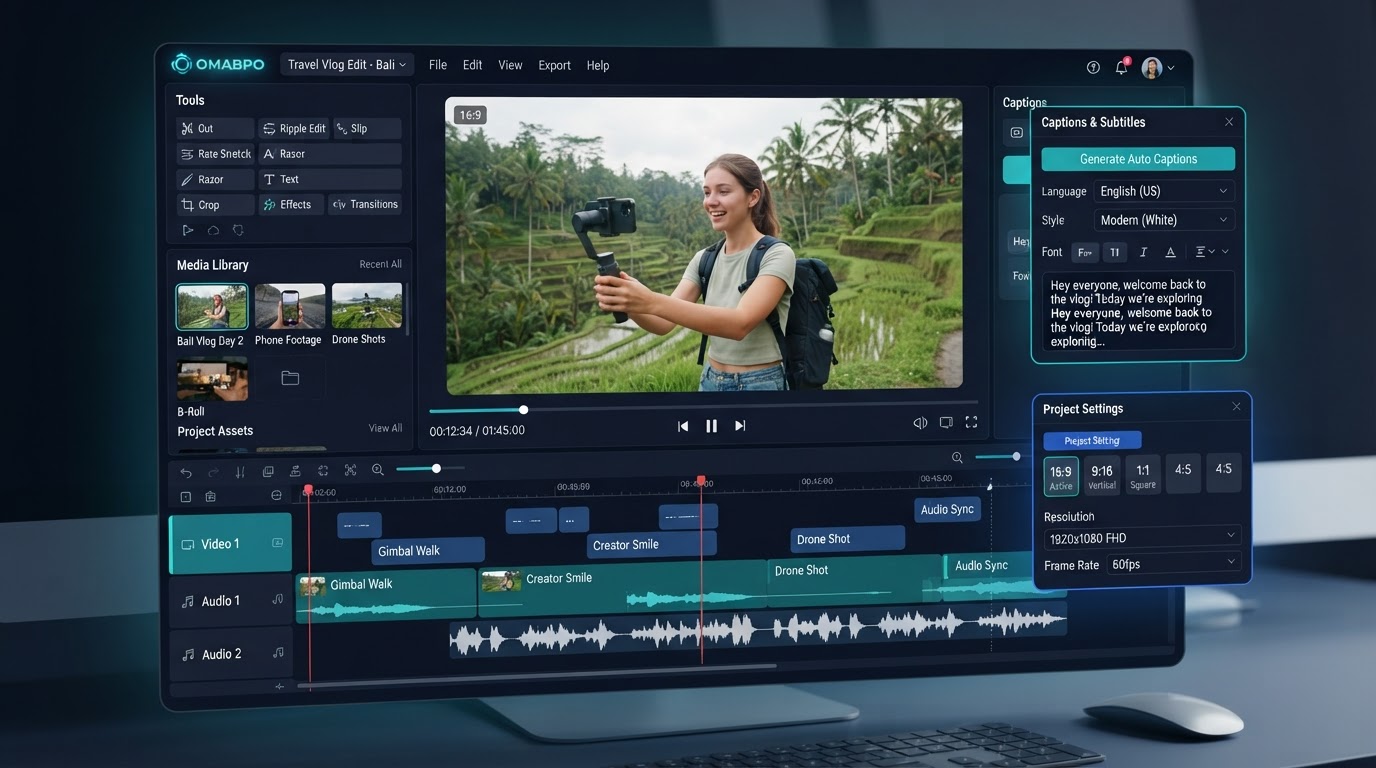
Three steps to social-ready video
A first-time user can upload a video and prepare it for social media without needing editing experience.
Upload
Drag and drop from your device, import from Dropbox or iCloud, or paste a video link.
Edit
Trim, crop, add captions, text overlays and your logo — or let AI suggest the cuts.
Export
Pick a format, preview, then download a polished MP4 ready for any platform.
Every format your audience scrolls
One source video, every social platform — preset aspect ratios for the platforms South African creators actually use.
TikTok · Reels · Shorts
Instagram feed
Portrait feeds
YouTube · landscape
Everything you need, nothing you don't
A focused toolkit that turns raw footage into publish-ready content — no professional editor required.
AI-assisted editing
Pick a goal — make it more engaging, find highlights, create a promo — and review suggested edits before applying.
Captions & subtitles
Auto-generated, editable subtitles and caption styling that boost watch time and accessibility.
Trim, crop & reframe
Set start and end points, crop, and reframe for vertical without losing your subject.
Audio & music
Adjust volume or swap audio for licensed music where permitted.
Brand overlays
Drop in your logo and brand colours so every export looks unmistakably yours.
Preview before export
See exactly what your audience will see before you download a single file.
Simple plans in Rand
Transparent monthly subscriptions. Upgrade, downgrade or cancel anytime.
Starter Creator
Free to start — 3 exports & 1 AI video a month.
- 3 video exports per month
- 1 AI-assisted video
- Social media aspect ratios
Hustler Pro
Most popular — AI-assisted editing.
- 30 video exports per month
- 100 AI credits
- Social media aspect ratios
Business Studio
For agencies and teams.
- 75 video exports per month
- 500 AI credits
- Social media aspect ratios
Prices in South African Rand (ZAR). See full plan comparison →
Questions, answered
Everything you need to know before you upload your first video.
Do I need editing experience?+
No. The workspace is built for first-time users — upload, pick a format, trim, and export. AI assistance can suggest the cuts for you.
Which video formats can I upload?+
Common formats such as MP4 and MOV, subject to your plan's file size and processing limits. We validate the file and let you retry failed uploads.
Can I import from Dropbox or iCloud?+
Yes. Import from Dropbox via its file picker, or download from iCloud and upload from your device. You can also paste a direct video link.
What aspect ratios are supported?+
9:16 for TikTok, Reels and Shorts; 1:1 square; 4:5 portrait; and 16:9 landscape for YouTube and other landscape content.
Are my videos private?+
Your projects and media are scoped to your account. We never share your footage, and the original file is preserved alongside your edited version.
Can I cancel anytime?+
Yes. Plans renew monthly in Rand and you can upgrade, downgrade or cancel at any time. We never promise guaranteed viral results.
Ready to make your videos scroll-stopping?
Upload your first video and have a social-ready cut in minutes.
Start creating